Translate Theme
How translate the theme
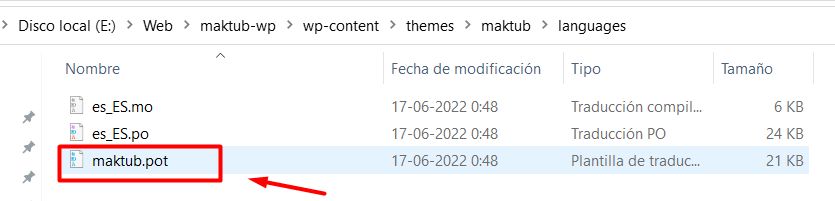
You can translate the template into any language using the files located in the gicon/languages folder:
Translating Gicon with POEDIT
- Look for the gicon.pot file inside the gicon/languages folder.
- Use POEdit to open this file.
- Click Open — you will see a dialog like this:
- Click Create new translation at the bottom of the application.
- Select the language you want, for example: French.
- Use the translation field to enter your translations.
- When you’re done, go to File → Save As, and save the file using your WordPress locale code, inside the
gicon/languagesfolder. - Example: for a French WordPress installation, the file name should be fr_FR.po
Finally, connect to your server via FTP and upload the language files to: wp-content/themes/gicon/languages.
Translating via 3rd Party Plugin
The theme can also be translated using a plugin. For this, you can download Loco Translate from: https://wordpress.org/plugins/loco-translate/
Full documentation is available here: https://localise.biz/wordpress/plugin/beginners
💡
Note: It’s not required to translate all texts, you can translate only the ones you want to change.